Choose an example instruction by task, adapt it to your photo, then open the matching editor.
Prepare a product image set
Start with a clear original, make a plain-background main image, then prepare a lifestyle or promotional version. Compare shape, color, labels and seams with the source before using any output in a listing.
Choose the photo you have. Try its prompt in the editor above, upload your garment, and review the instruction before generating.
From a hanger photo
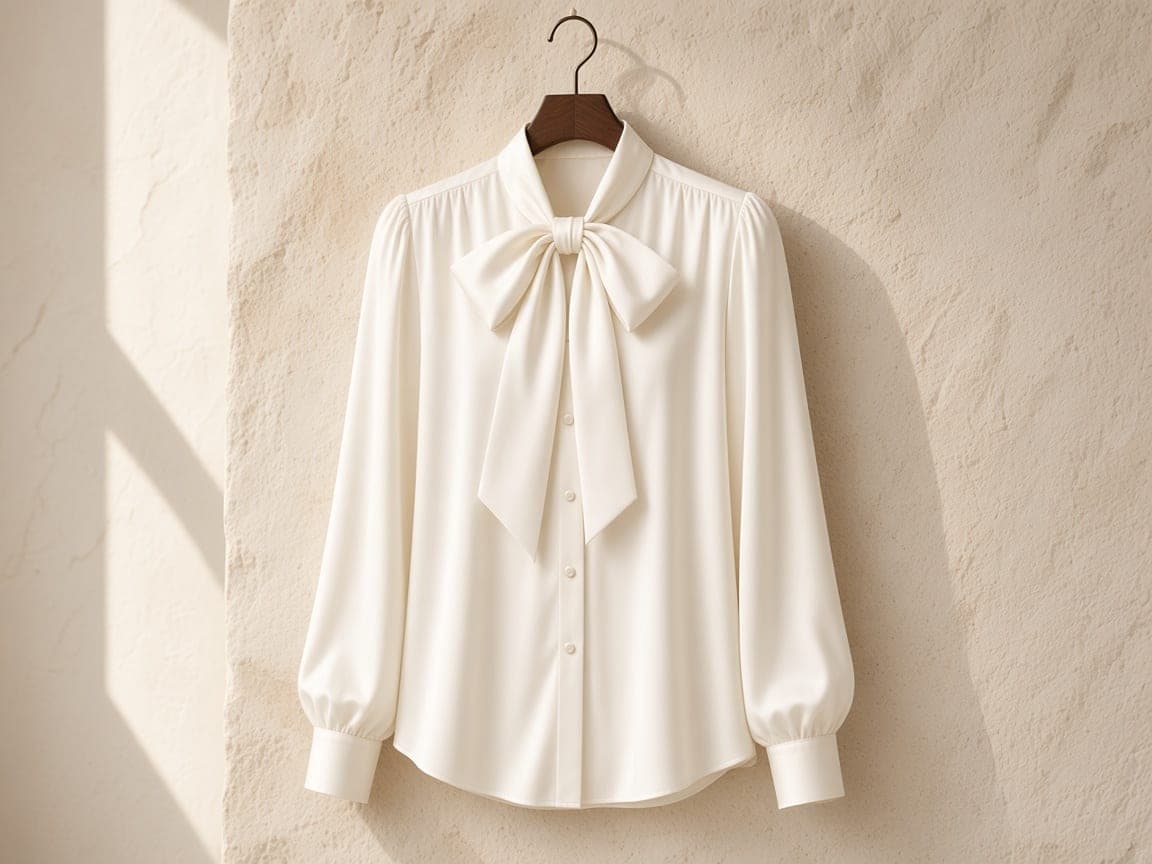
Photograph one garment straight on against a plain wall. Keep the collar, sleeves, and hem in view. This prompt asks to remove the hanger and add body volume; check that the collar and shoulder shape still match the piece you sell.
From a flat-lay photo
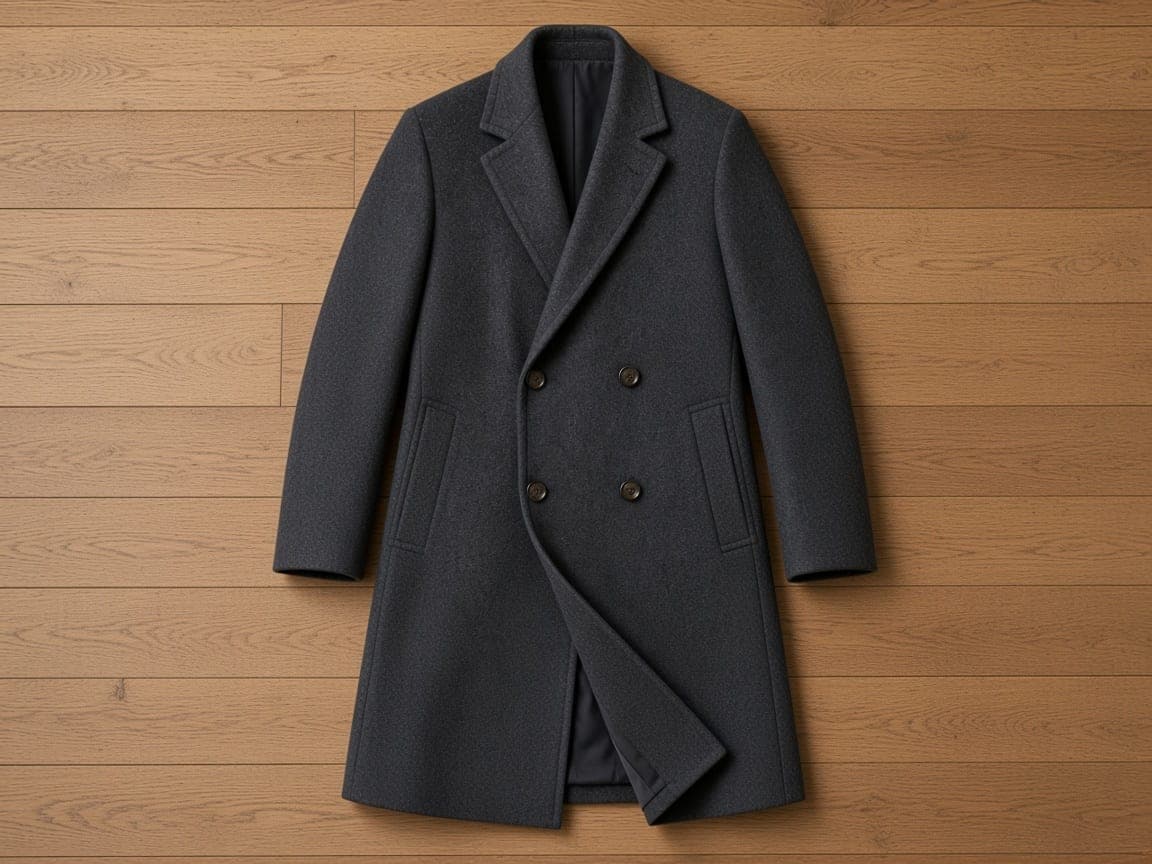
Lay one garment flat, smooth large folds, and shoot directly above it. Keep both sleeves and the full outline visible. The prompt asks for an upright catalog shape. Hidden panels and depth are inferred, so inspect the cut before using the result in a listing.
Before publishing, compare the source and result at full size: fabric color and print, collar and sleeves, then buttons, seams, and hem. Start with one garment before applying the same brief to the rest of a collection. When a result works, choose “Edit next product” to keep its settings and upload the next garment.
These examples were generated with Remorphy. The suggested prompts below are starting points for a similar edit. Compare your own result with its source photo: fabric, prints, and seams need review on every garment.
Before
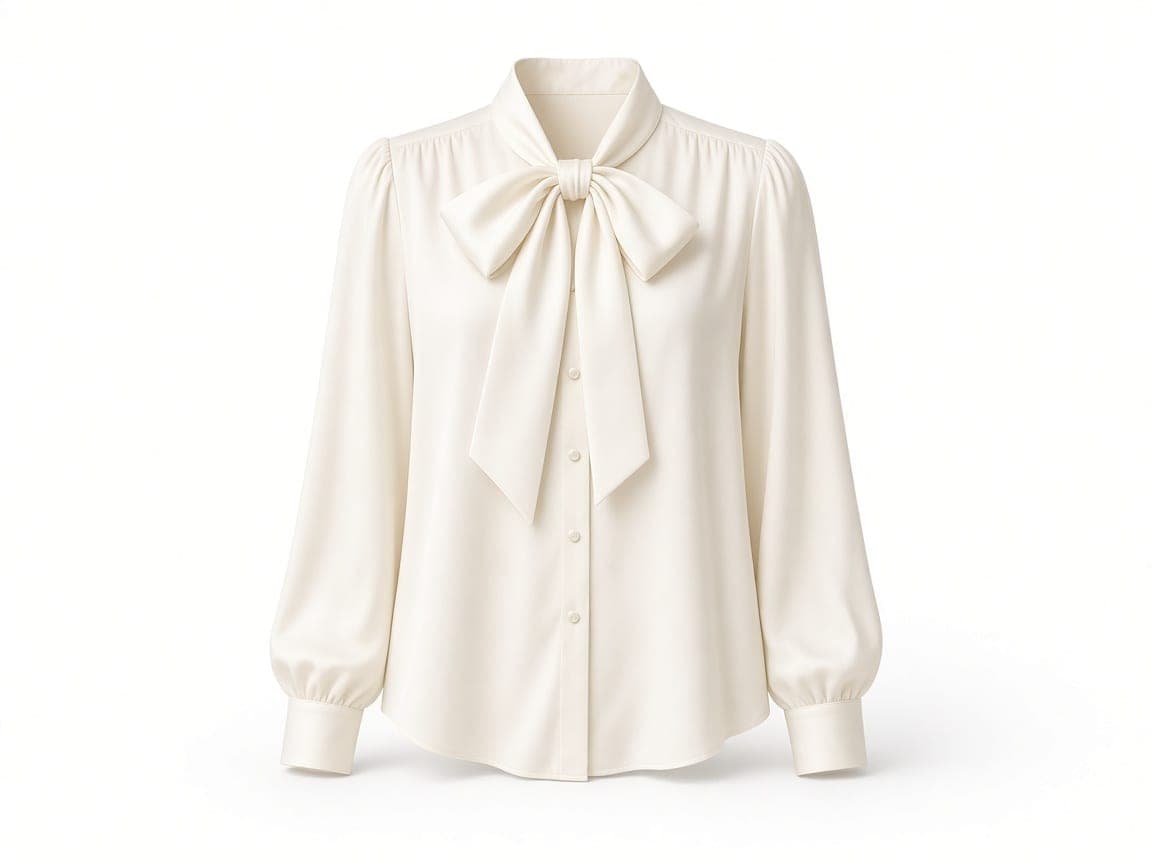
After
Silk blouse — walnut hanger to white ghost mannequin
Suggested edit instruction: “Keep this ivory silk blouse identical in color, bow, and buttons. Present it as a ghost mannequin: natural torso volume, hollow neck showing the collar interior, sleeves filled, no person, no hanger, no visible mannequin. Seamless pure white background and a soft contact shadow.”
Changed: Hanger and limestone wall replaced with a white field and invisible-body volume.
Kept: Ivory silk, pussy-bow, and button placket from the uploaded photo.
Limits: Fine stitching and bow folds can shift. This is one photo plus a prompt, not a pattern file or a second image of a person.
Before
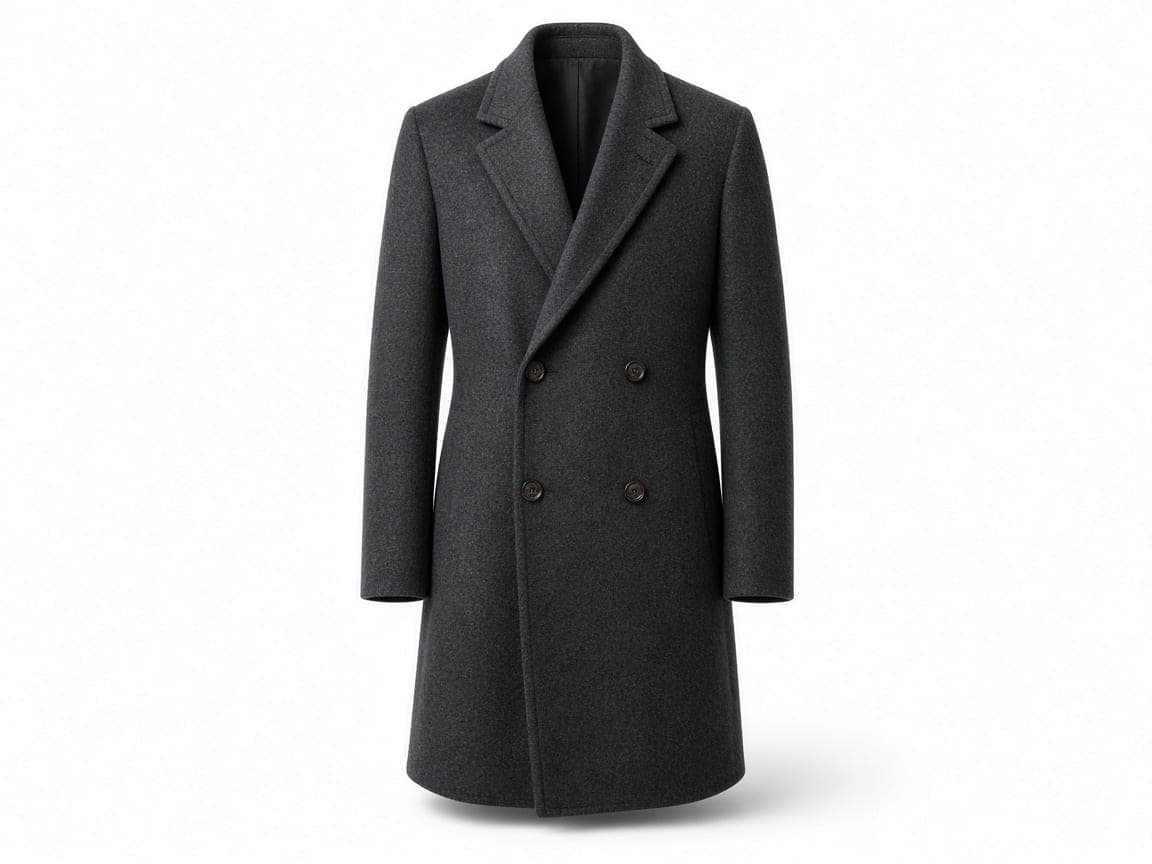
After
Wool coat — oak flat-lay to upright ghost mannequin
Suggested edit instruction: “Keep this charcoal wool overcoat identical in cloth, lapels, and buttons. Stand it as a ghost mannequin with shoulder volume and a hollow neck opening. No person, no hanger, no visible mannequin. Pure white seamless background, soft ground shadow.”
Changed: Flat oak floor layout became an upright catalog stance on white.
Kept: Charcoal wool, notched lapel, and horn buttons from the source photo.
Limits: A flat-lay hides one side of the garment. The model infers the hidden panel, so check shoulders before you publish.
Before
After
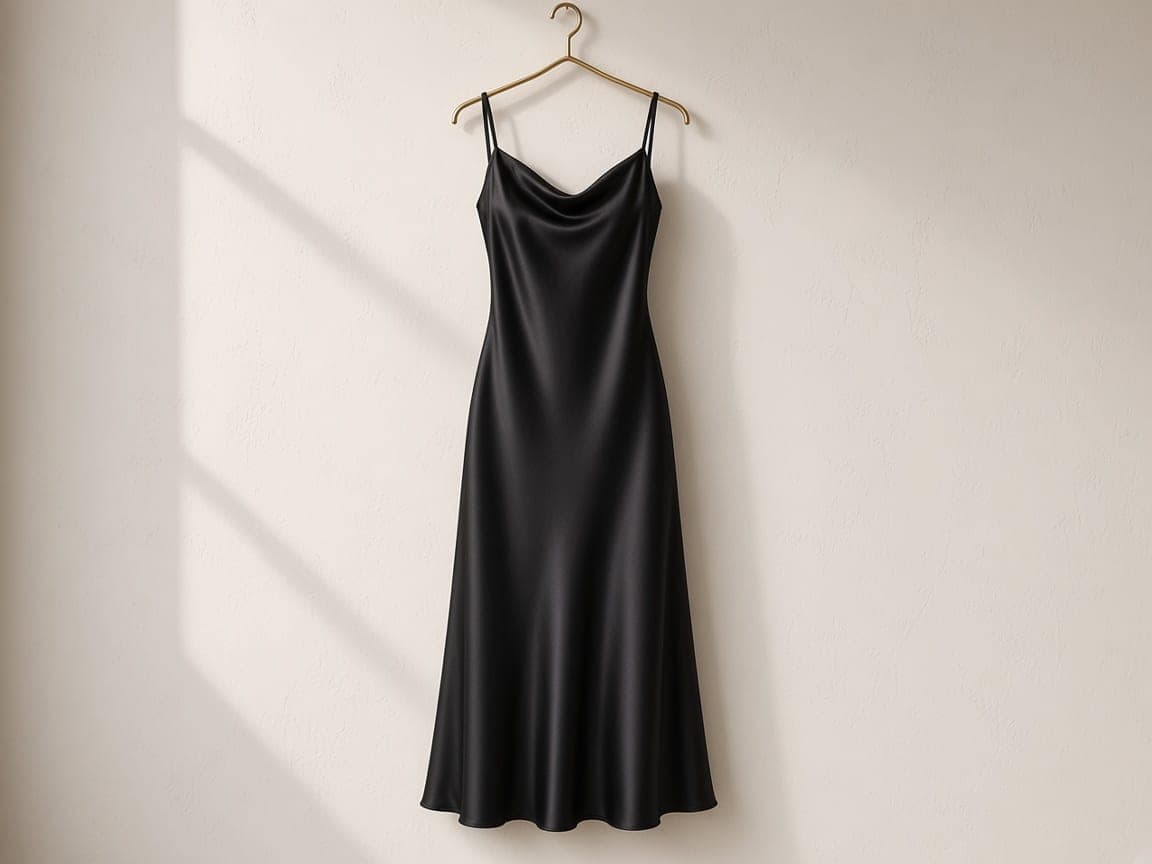
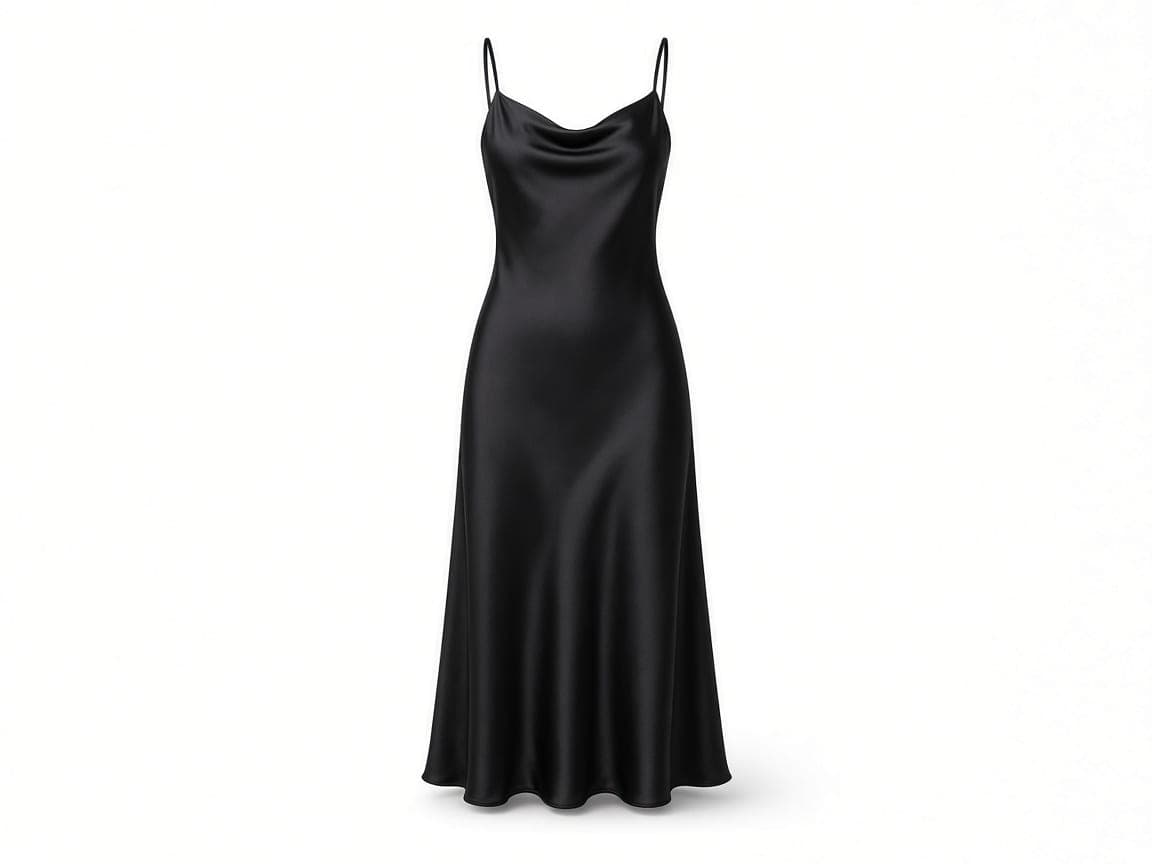
Slip dress — brass hanger to hollow-neck ghost mannequin
Suggested edit instruction: “Keep this black silk slip dress identical. Shape it as a ghost mannequin with bust and hip volume, spaghetti straps in place, and an empty neck opening. Remove the hanger. No person and no visible mannequin. Seamless white background, soft shadow.”
Changed: Brass hanger and plaster wall removed; the dress gained catalog volume on white.
Kept: Black silk, strap placement, and slip silhouette from the upload.
Limits: Sheer hems and thin straps can thicken. Shorten the prompt to volume and background if the fabric drifts.
What a ghost mannequin photo is
A ghost mannequin photo is a catalog still of a garment that looks worn by an invisible body. The neck opens onto empty space, the sleeves and torso have volume, and the background is usually seamless white. Apparel sellers use it when a marketplace or lookbook expects that hollow-collar shape and the source file is a hanger shot or a flat-lay.
On this page you upload one photo of the piece and describe that invisible body. Remorphy does not accept a second photo of a person, and it does not run a separate try-on model. The cloth, color, and construction should come from the file you uploaded.
This is not a Halloween costume edit. A person draped in a bedsheet is an AI ghost photoshoot. Ghost mannequin is the apparel catalog job: no face, no sheet, no sunglasses, just the garment with body volume on a plain field.
How to make a ghost mannequin photo
1
Upload one garment photo
Use a hanger shot or a flat-lay of the piece you sell. One image is the whole input—there is no second photo of a model and no separate try-on upload.
2
Describe the invisible body
Ask for torso volume, a hollow collar, filled sleeves, and a pure white field. Say that the hanger, clips, and any visible mannequin should disappear while the cloth stays the same.
3
Download and review the still
Compare the result with your source at full size, especially the collar, print, seams, and hem. Download the JPEG once those details are suitable for your listing, then check your store’s image rules before uploading it.
Where ghost mannequin stills get used
Marketplace apparel stills
Turn a hanger photo into the plain white ghost mannequin frame many clothing listings use, then check that channel’s current image rules yourself.
A line shot on different days
Reuse the same ghost mannequin wording across shirts, coats, and dresses so a collection reads as one catalog even when the source photos were not shot together.
Phone hanger photos
Start from a clean hanger picture against a wall. The prompt replaces the hook and the room; you do not book a mannequin studio first.
Flat-lays that need body shape
An overhead lay shows the print. Asking for upright volume gives a catalog stance while the color and construction still come from that single file.
How to shoot the garment before you prompt
Show the whole piece
Include the collar, cuffs, and hem. A crop through the shoulder gives the model nothing to build volume from.
Prefer a simple hanger or a flat surface
A busy closet behind the garment becomes extra work. A plain wall or an uncluttered floor is enough.
Name the hollow neck and the white field
Ask for torso volume, an empty collar opening, filled sleeves, no person, no hanger, and no visible mannequin. Then ask to keep the fabric and the color.
Inspect seams, prints, and the collar
Small repeats and care labels can soften. A flat-lay hides one side, so the model infers it. Check shoulders before you publish a size run.
Honest limits of a one-photo ghost mannequin
The edit infers volume the camera did not see. Sheer hems, thin straps, and bows can thicken; printed type can warp. If the fabric or shape drifts, return to the original photo and shorten the instruction to volume and background. Another generation spends credits; a completed image is not a failed run just because it needs revision.
You do not get a 3D pattern or a certified Amazon file. For a transparent PNG of the garment, use Remove Background AI. Remorphy is not connected to any marketplace. Photographing on a real invisible mannequin is still more exact when a buyer must see a specific seam.
A photo of someone wearing the piece hides more fabric than a hanger shot or flat-lay. Start from the garment alone where possible. If a result changes the cut, print, or construction, use another source photo or a retoucher rather than presenting invented details as the item for sale.
Free tries versus a size run
One garment is a fair guest test: one signed-out Fast edit after a human check. Creating an account adds 5 credits once you create an account. Free downloads are watermarked, Fast only, and one at a time.
A drop with many SKUs needs a monthly pool. Paid plans start at $19 a month for 20 products (100 credits), download without the watermark, unlock Balanced and High Quality, and join the priority queue. A run that fails or returns no image refunds its credit.
Ghost mannequin compared with other apparel photos
The hollow-neck catalog still, a photo of someone wearing the piece, and a sheet-costume portrait solve different problems. Use the row that matches the picture you need to publish.
Apparel catalog ghost mannequin compared with wearing shots and sheet portraits
Result you need
Start from
Use
Invisible-body catalog still
One hanger photo or flat-lay
This Ghost Mannequin page
A person wearing the clothes
A photo of that person, or a real fitting
A portrait edit, not this page
Sheet ghost with sunglasses
A portrait of the people in the shot
AI Ghost Photoshoot
Layered file for a retoucher
The raw capture plus a mask
Desktop software, not a flattened JPEG
Example prompts
From a hanger photo
Turn this hanger photo into a front-facing ghost mannequin catalog image. Keep the garment's fabric, color, print, buttons, and visible construction. Add natural torso and sleeve volume with a hollow collar opening. Remove the hanger and clips. No person or visible mannequin. Pure white background, soft contact shadow.
From a flat-lay photo
Turn this flat-lay garment photo into an upright, front-facing ghost mannequin catalog image. Keep the garment's fabric, color, print, buttons, and visible construction. Add natural shoulder and torso volume with a hollow neckline. No person, hanger, or visible mannequin. Pure white background, soft contact shadow.
Classic white ghost
Ghost mannequin of this garment, hollow collar, natural volume, no person, no hanger, pure white background, soft shadow, keep fabric and color.
Light gray sweep
Invisible mannequin apparel still on a light-gray seamless sweep, soft contact shadow, garment shape unchanged, no clips.
Dress volume
Shape this dress as a ghost mannequin with hip volume and an empty neckline. Remove the hanger. White studio, keep the silk color.
Coat shoulders
Stand this coat upright as a ghost mannequin, structured shoulders, hollow neck, no person, white backdrop, same wool and buttons.
Why use Remorphy
One upload, not a try-on stack
Ghost Mannequin is image-to-image. You upload the garment and describe the invisible body. Remorphy does not accept a model photo plus a clothing photo, and it does not run a separate try-on model.
Credits for a size run
New accounts receive 5 standard generations once. Monthly balances on Remorphy pricing cover a rack of ghost mannequin stills when a drop has many SKUs.
Priority queue for paid sellers
Subscribers enter the priority queue while free jobs wait, which matters when an apparel drop has to publish the same evening.
Prompted volume, not a cutout
The result is a finished photograph with the white field baked in, with no 3D pattern export. For a transparent PNG, run the garment through Remove Background AI.
Frequently asked questions
Should I use a hanger photo or a flat-lay?
Use a clear photo of the whole garment. A straight-on hanger shot shows how the piece hangs; a top-down flat-lay shows its outline. Both can be starting points, but the edit infers body volume and hidden cloth. Compare the result with the real item before publishing.
Do I upload a person and a garment?
No. Upload one photo of the clothing on a hanger or in a flat-lay, then describe the ghost mannequin result. A second image of a model is not part of this editor.
Will the hanger and clips disappear?
Ask for that in the prompt. Hooks and clips usually leave with the background; check the collar and regenerate if a hook remains.
Is the white background guaranteed for Amazon?
You can prompt for a pure white field. Remorphy is not integrated with Amazon or other stores and does not certify that a file meets a marketplace’s latest rules.
Will prints, seams, and labels stay exact?
The edit should keep the garment you uploaded. Small repeats, care labels, and stitching can soften. If they matter, use a sharper source and a shorter prompt.
How many ghost mannequin images can I try?
One signed-out generation after a human check, then 5 credits when you register. A full clothing line usually needs a paid monthly balance.
How is Ghost Mannequin different from an AI ghost photoshoot?
Ghost Mannequin shapes a garment into a hollow-neck catalog still on white. An AI ghost photoshoot drapes a person in a white bedsheet costume for a retro portrait. They are different uploads and different prompts. The photoshoot page is linked below.
Can I upload a photo of someone already wearing the piece?
You can, but the reliable path is the garment on a hanger or laid flat. A worn photo asks the model to remove a body and invent the hidden cloth at the same time.
Will every size in a line match?
Reuse the same prompt so the white field and the volume language stay consistent. Each size is still its own generation, and small construction differences in the source photos will show.
Does a free ghost mannequin download include a watermark?
Yes. The guest edit and free-plan credits export with a watermark. Paying removes it and places the job in the priority queue.