Marketplace apparel stills
Turn a hanger photo into the plain white ghost mannequin frame many clothing listings use, then check that channel’s current image rules yourself.
Upload one garment photo and describe the invisible-mannequin catalog look.
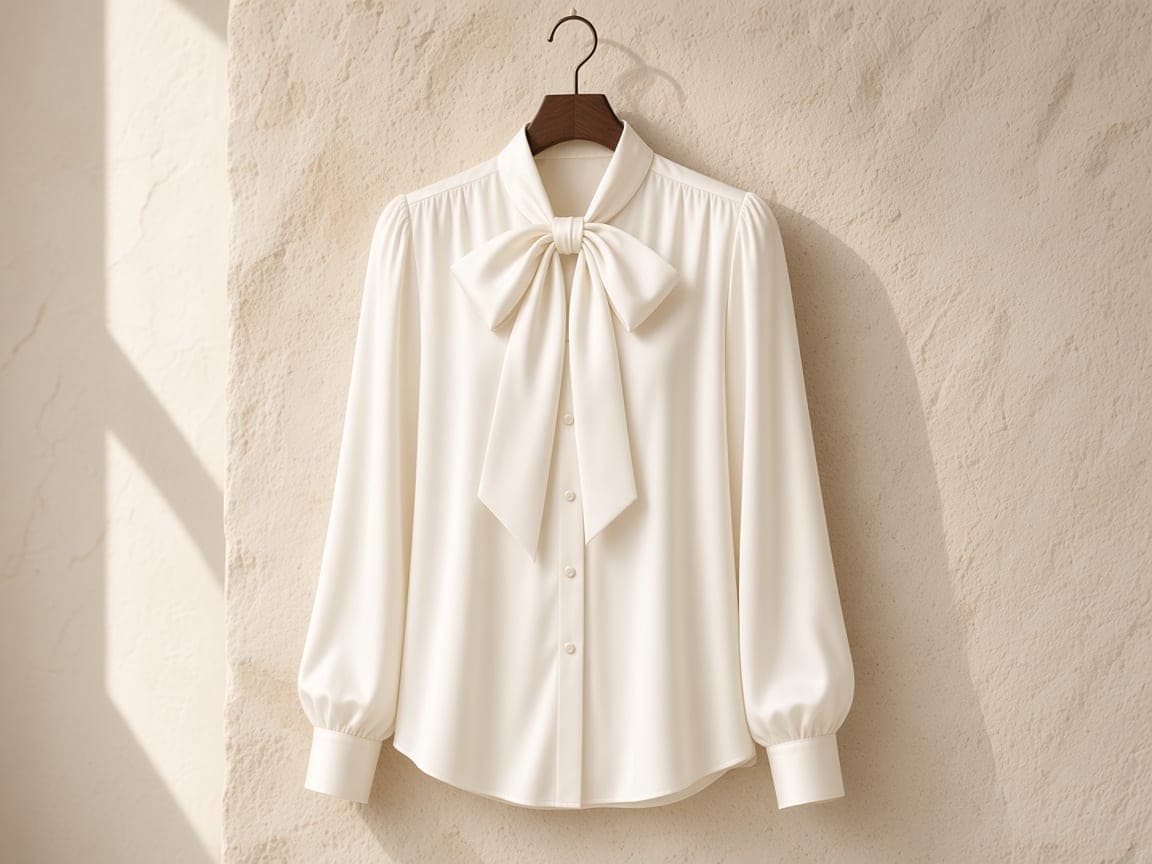
Before
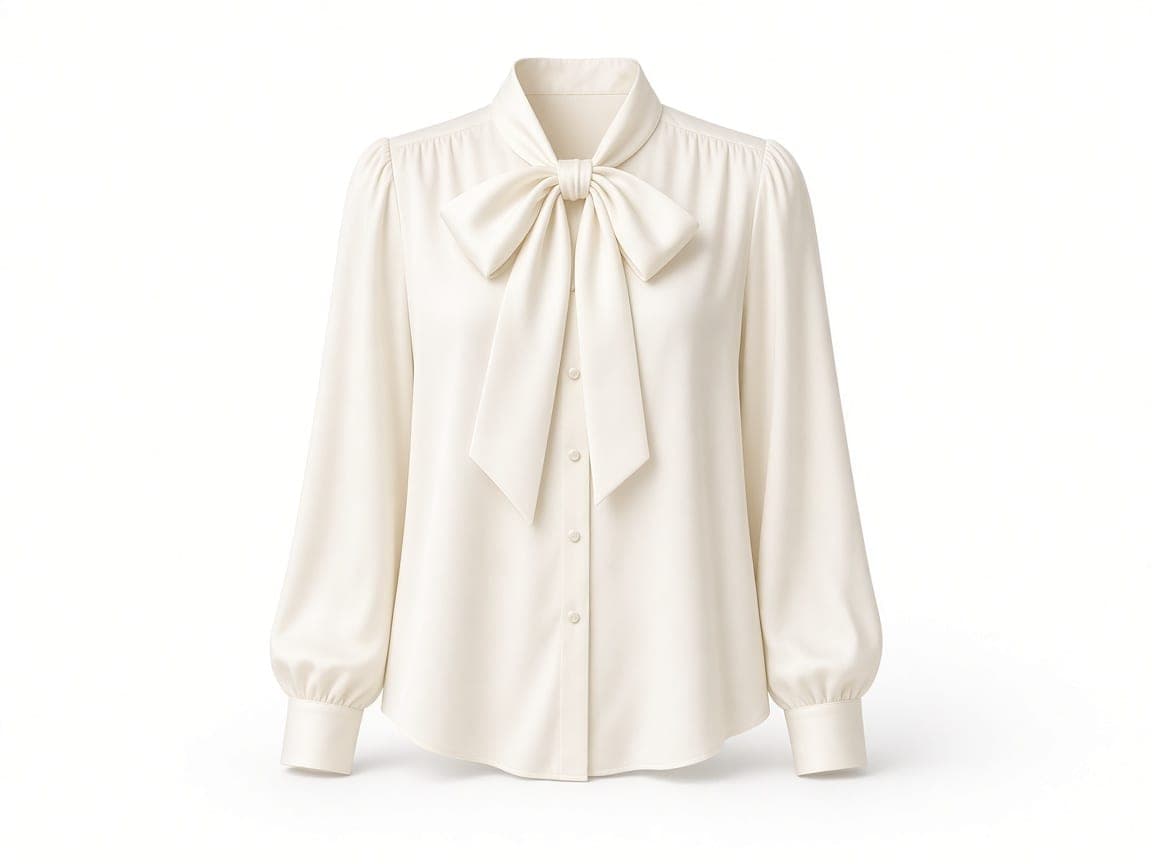
After
Edit instruction: “Keep this ivory silk blouse identical in color, bow, and buttons. Present it as a ghost mannequin: natural torso volume, hollow neck showing the collar interior, sleeves filled, no person, no hanger, no visible mannequin. Seamless pure white background and a soft contact shadow.”
Changed: Hanger and limestone wall replaced with a white field and invisible-body volume.
Kept: Ivory silk, pussy-bow, and button placket from the uploaded photo.
Limits: Fine stitching and bow folds can shift. This is one photo plus a prompt, not a pattern file or a second image of a person.
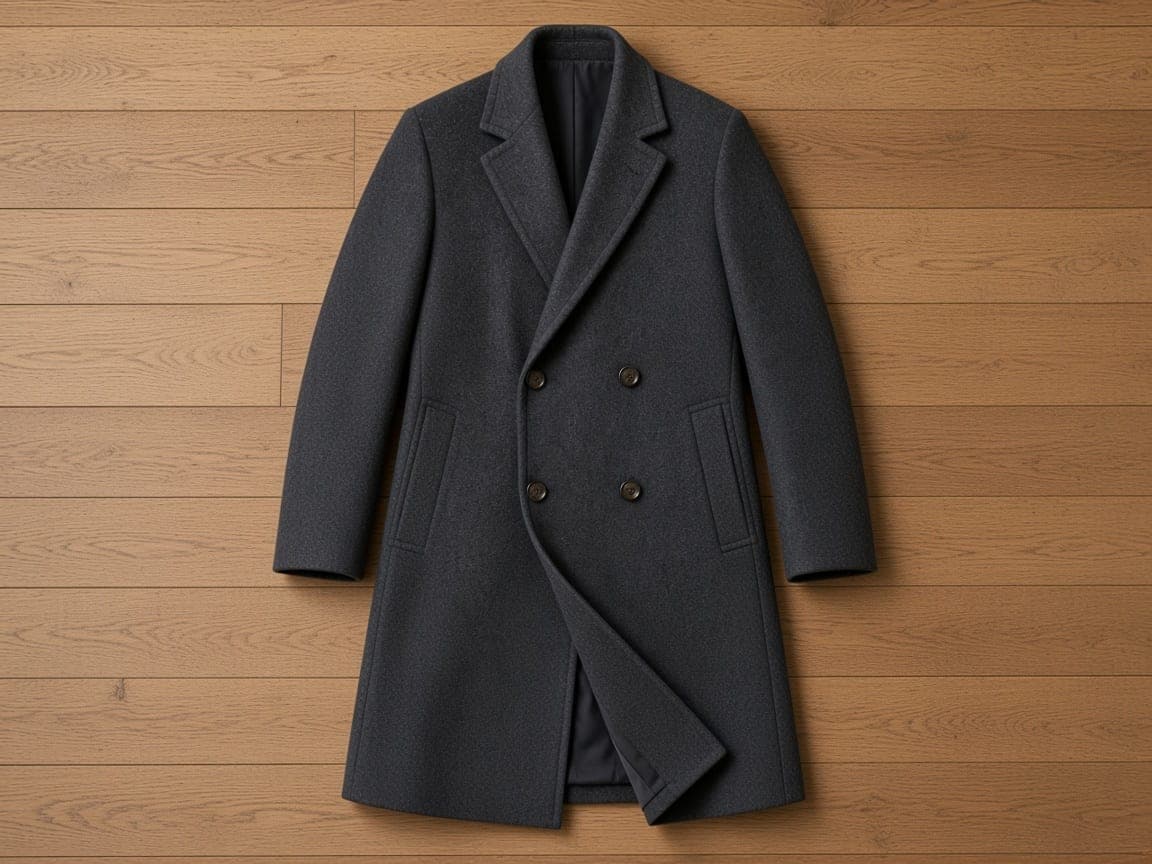
Before
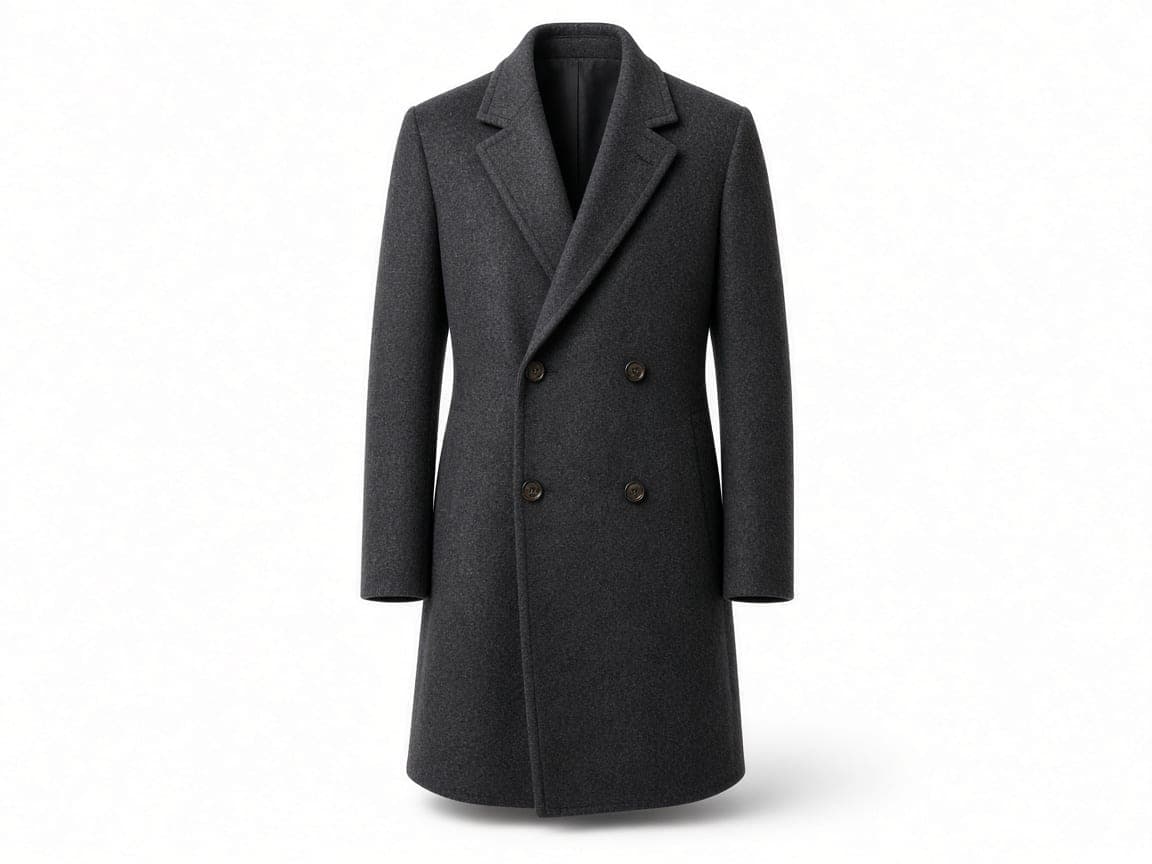
After
Edit instruction: “Keep this charcoal wool overcoat identical in cloth, lapels, and buttons. Stand it as a ghost mannequin with shoulder volume and a hollow neck opening. No person, no hanger, no visible mannequin. Pure white seamless background, soft ground shadow.”
Changed: Flat oak floor layout became an upright catalog stance on white.
Kept: Charcoal wool, notched lapel, and horn buttons from the source photo.
Limits: A flat-lay hides one side of the garment. The model infers the hidden panel, so check shoulders before you publish.
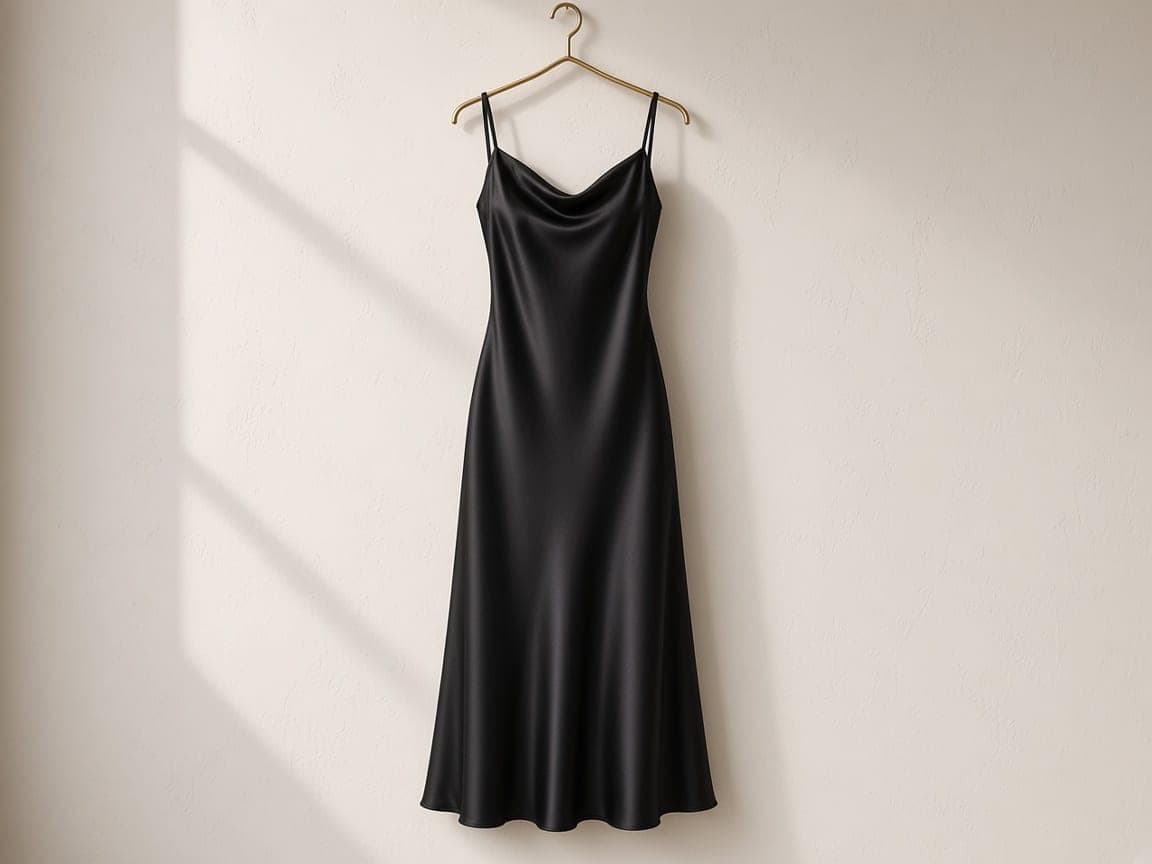
Before
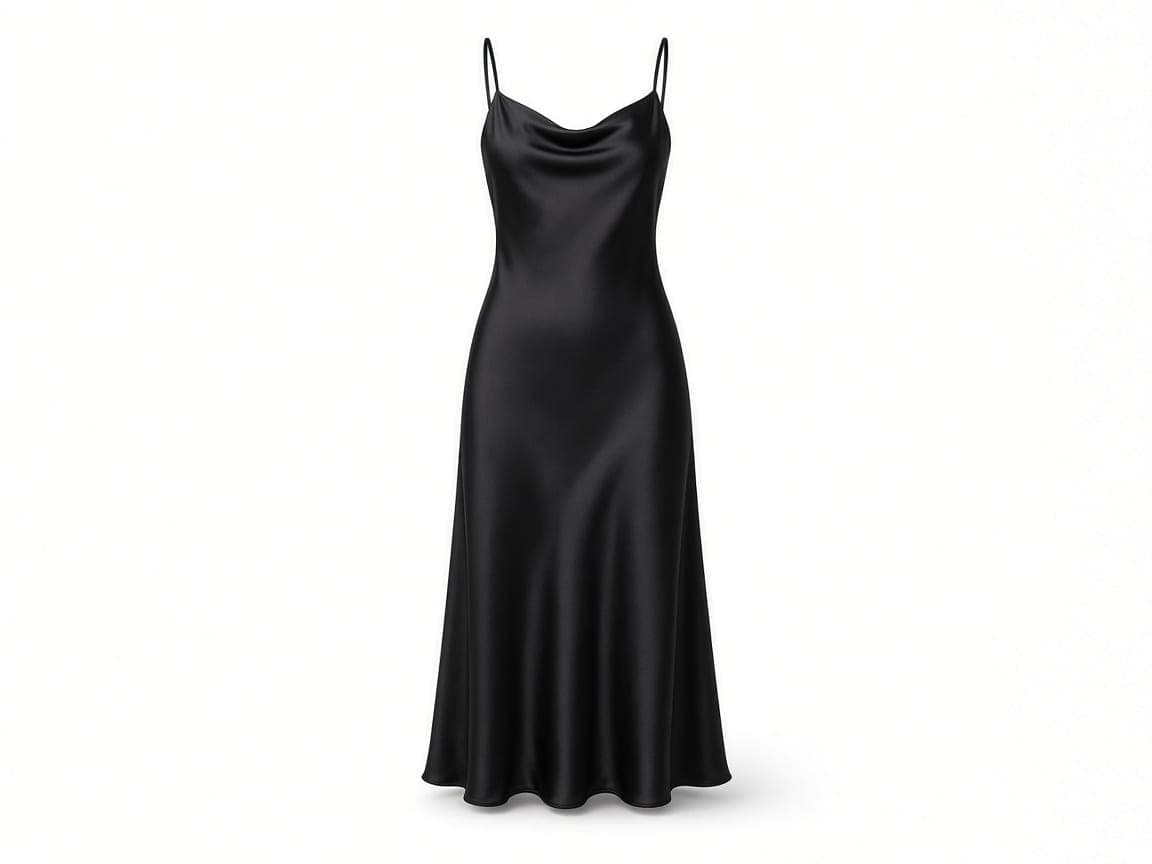
After
Edit instruction: “Keep this black silk slip dress identical. Shape it as a ghost mannequin with bust and hip volume, spaghetti straps in place, and an empty neck opening. Remove the hanger. No person and no visible mannequin. Seamless white background, soft shadow.”
Changed: Brass hanger and plaster wall removed; the dress gained catalog volume on white.
Kept: Black silk, strap placement, and slip silhouette from the upload.
Limits: Sheer hems and thin straps can thicken. Shorten the prompt to volume and background if the fabric drifts.
1
Use a hanger shot or a flat-lay of the piece you sell. One image is the whole input—there is no second photo of a model and no separate try-on upload.
2
Ask for torso volume, a hollow collar, filled sleeves, and a pure white field. Say that the hanger, clips, and any visible mannequin should disappear while the cloth stays the same.
3
Save the JPEG and upload it to your store yourself. Remorphy does not connect to Amazon or other marketplaces, and it does not certify listing rules. Paid plans enter a priority queue when a size run is generating.
Classic white ghost
Ghost mannequin of this garment, hollow collar, natural volume, no person, no hanger, pure white background, soft shadow, keep fabric and color.
Light gray sweep
Invisible mannequin apparel still on a light-gray seamless sweep, soft contact shadow, garment shape unchanged, no clips.
Dress volume
Shape this dress as a ghost mannequin with hip volume and an empty neckline. Remove the hanger. White studio, keep the silk color.
Coat shoulders
Stand this coat upright as a ghost mannequin, structured shoulders, hollow neck, no person, white backdrop, same wool and buttons.
Flat-lay to upright
Lift this flat-lay into a front-facing ghost mannequin catalog photo. Infer only the hidden side. Pure white, no props.
Turn a hanger photo into the plain white ghost mannequin frame many clothing listings use, then check that channel’s current image rules yourself.
Reuse the same ghost mannequin wording across shirts, coats, and dresses so a collection reads as one catalog even when the source photos were not shot together.
Start from a clean hanger picture against a wall. The prompt replaces the hook and the room; you do not book a mannequin studio first.
An overhead lay shows the print. Asking for upright volume gives a catalog stance while the color and construction still come from that single file.
Ghost Mannequin is image-to-image. You upload the garment and describe the invisible body. Remorphy does not accept a model photo plus a clothing photo, and it does not run a separate try-on model.
New accounts receive 5 standard generations once. Monthly balances on Remorphy pricing cover a rack of ghost mannequin stills when a drop has many SKUs.
Subscribers enter the priority queue while free jobs wait, which matters when an apparel drop has to publish the same evening.
The result is a finished photograph with the white field baked in. There is no transparent PNG mode and no 3D pattern export.
No. Upload one photo of the clothing on a hanger or in a flat-lay, then describe the ghost mannequin result. A second image of a model is not part of this editor.
Ask for that in the prompt. Hooks and clips usually leave with the background; check the collar and regenerate if a hook remains.
You can prompt for a pure white field. Remorphy is not integrated with Amazon or other stores and does not certify that a file meets a marketplace’s latest rules.
The edit should keep the garment you uploaded. Small repeats, care labels, and stitching can soften. If they matter, use a sharper source and a shorter prompt.
One signed-out generation after a human check, then 5 credits when you register. A full clothing line usually needs a paid monthly balance.