Dating profile refreshes
Improve light and background without staging a new photoshoot.
Describe atmosphere and light; the face stays anchored to your upload.
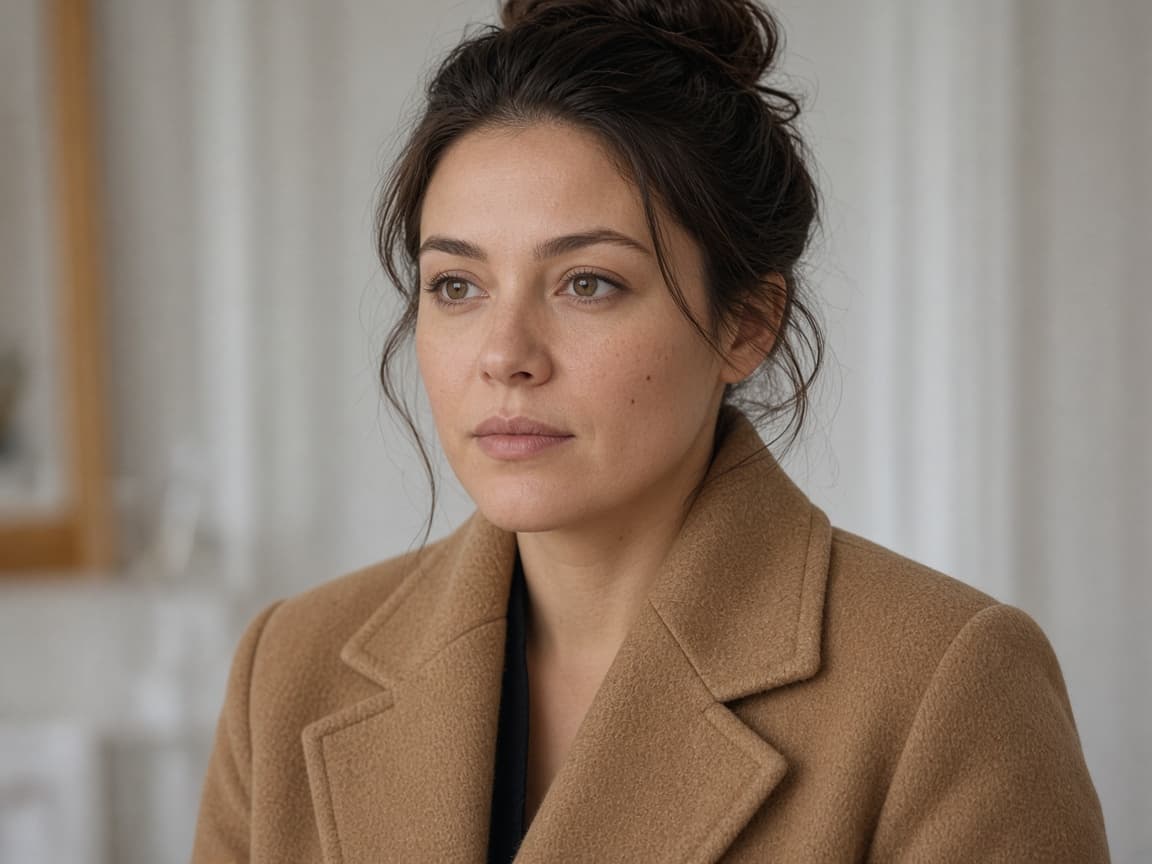
Before
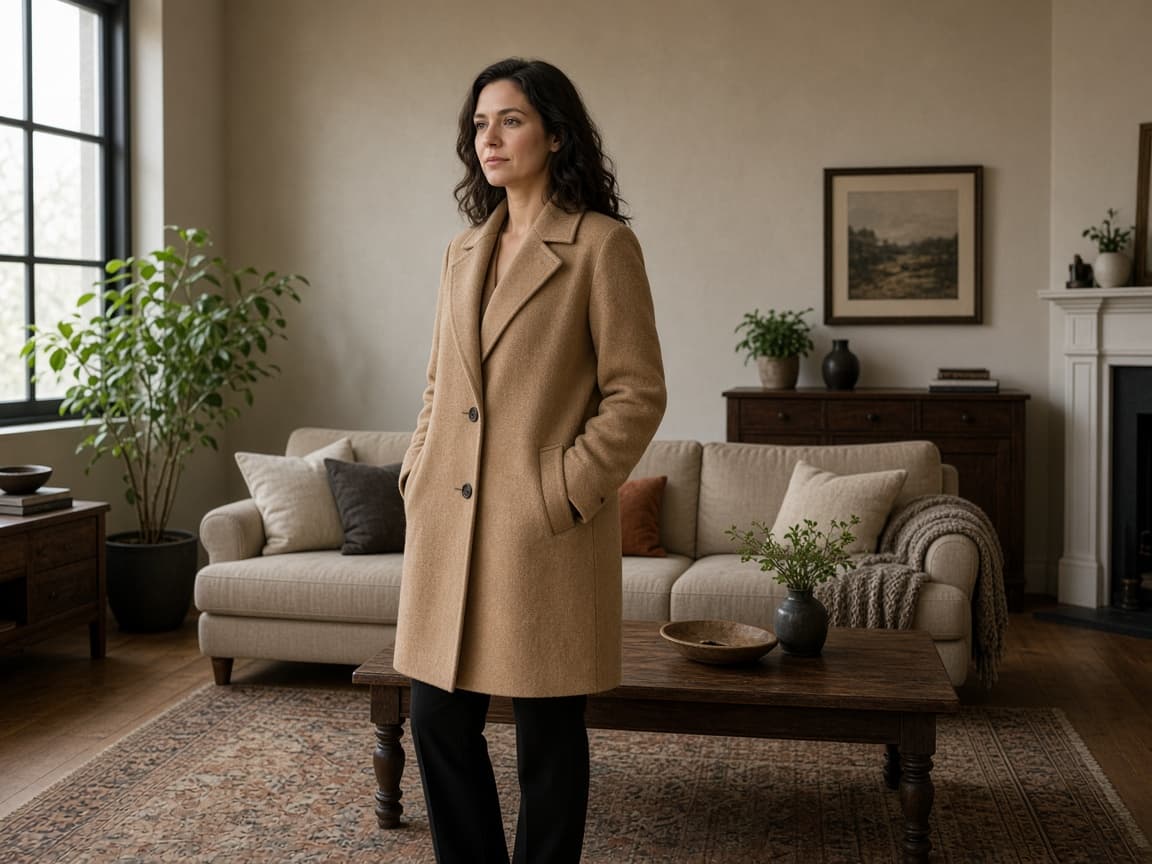
After
An AI portrait editor changes light, color, and the room behind a person you already photographed. The face in the file is the anchor. Use it for a profile, a musician’s still, or a family frame that needs a shared mood. It is the wrong tool if you want a different person.
Describe the atmosphere in plain words: window light, a muted film grade, city lights behind the subject. Avoid celebrity names. A sheet-ghost costume with retro film light belongs on the AI ghost photoshoot page, not in a generic portrait prompt.
1
Use a photo where the subject is clearly visible. Group shots work if you name who should stay unchanged.
2
Ask for softer shadows, a beach sunset, or a film still grade. Avoid requesting a different identity.
3
Zoom in before publishing. Regenerate with a narrower prompt if teeth or eyes look over-smoothed.
Improve light and background without staging a new photoshoot.
Match album art mood to an existing performance photo.
Harmonize color across members shot on different days.
Eyes, mouth, and hairline should be readable. A far-away figure becomes a guess.
Write “same face and pose” before you name the new light. One change per run is easier to judge than five.
Zoom in. If shine was the only problem, say so, and ask the model not to reshape the face.
Closed eyes, heavy motion blur, and faces turned fully away do not become crisp likenesses. Group shots can merge features if you ask for a new scene and a new crop at once.
This is not a retoucher’s frequency separation file. It is one flattened image. Sexual content and sexual content involving minors are refused.
Mood tests add up. Start with one signed-out Fast edit after a human check, then 5 credits once you create an account. Free downloads are watermarked after your first 2 images, and free runs use Fast.
Several grades of the same sitting belong on a paid pool. Paid plans start at $19 a month for 20 products (100 credits), download without the watermark, unlock Balanced and High Quality, and join the priority queue. A run that fails or returns no image refunds its credit.
Phone filters apply a look with no instruction about what must stay. A prompt can name both the grade and the face. A retoucher still wins for beauty work that has to survive a large print.
| Method | Control | Likeness |
|---|---|---|
| This portrait editor | Light, grade, and backdrop in words | Tied to the uploaded face |
| A one-tap filter | A preset you cannot brief | Often over-smoothed |
| A portrait retoucher | Pixel-level skin and hair | Highest, and slowest |
Muted teal-orange grade, gentle grain, keep facial features identical.
Soft window light from the left, faint curtain blur in background.
City lights bokeh behind the subject, subtle rim light, same pose.
Cherry blossom bokeh, bright airy exposure, natural skin tones.
Reduce forehead shine, keep pores natural, do not change face shape.
Exploring several moods burns credits quickly. Paid plans on Remorphy pricing refill monthly balances for portrait series work.
When a photographer owes selects tonight, subscribers enter the priority queue ahead of free-tier jobs.
You specify light and setting in words instead of stacking opaque Instagram filters.
It should not. Prompts that ask for a different person may fail policy checks or produce unusable results.
Sometimes, with a careful prompt, but results vary. A retake is still the most reliable fix.
Try 1:1 or 3:4 in the generator, then crop after download for Instagram feed, or use 9:16 for stories so framing matches the platform.
No. Child sexual abuse and any sexual content involving a minor are refused under the Remorphy acceptable use policy, along with the other five prohibited categories.
You can paste that prompt, but the dedicated page is AI Ghost Photoshoot. It starts with a sheet-costume instruction and shows solo, couple, and autumn examples.
It should not. Say to keep facial features identical. If the jaw or eyes drift, shorten the prompt to color and grain only.
Not the first ones. Your first 2 portraits download without a watermark, signed in or not. After that, free downloads carry a small Remorphy watermark; a paid plan or the one-time pack removes it.
Back to AI Product Photos — Turn One Photo Into a Full Listing Set