Avatar and forum art
Refresh profile images without commissioning a full illustration.
Describe the anime look in the prompt and keep the subject recognizable.
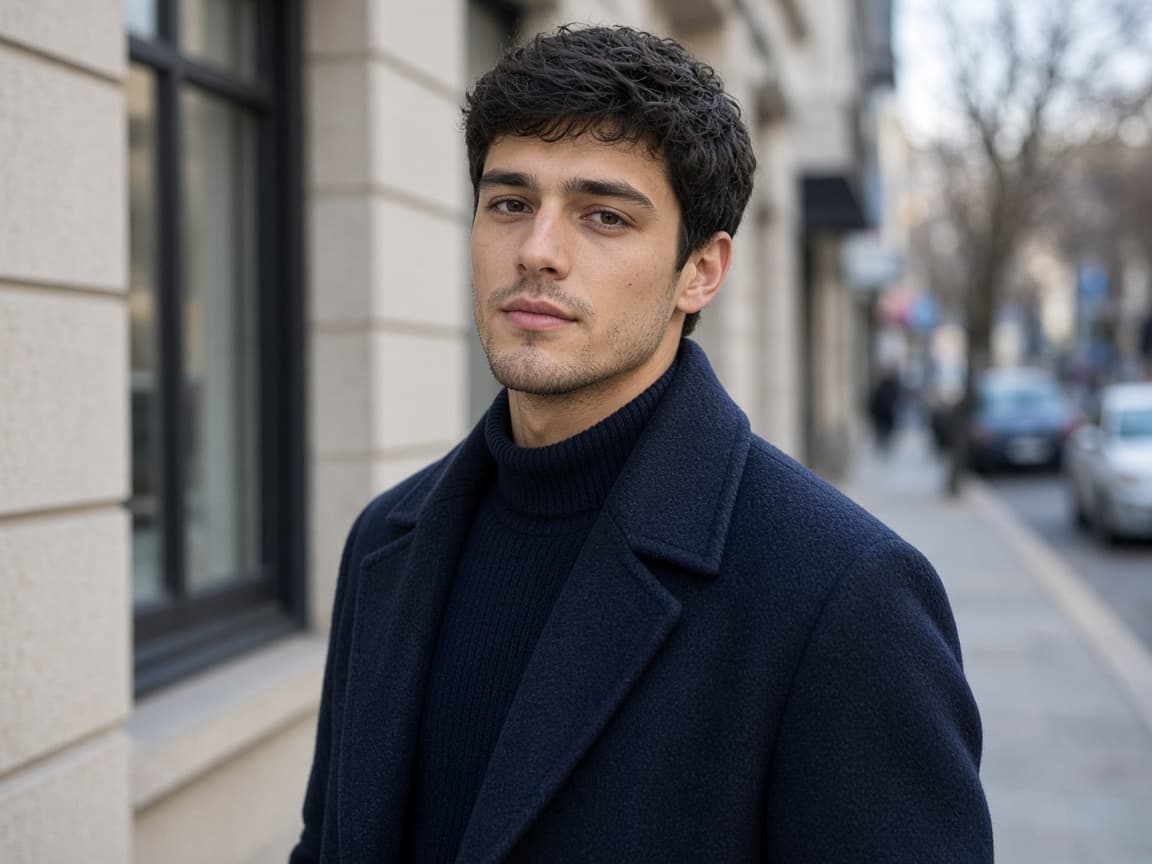
Before
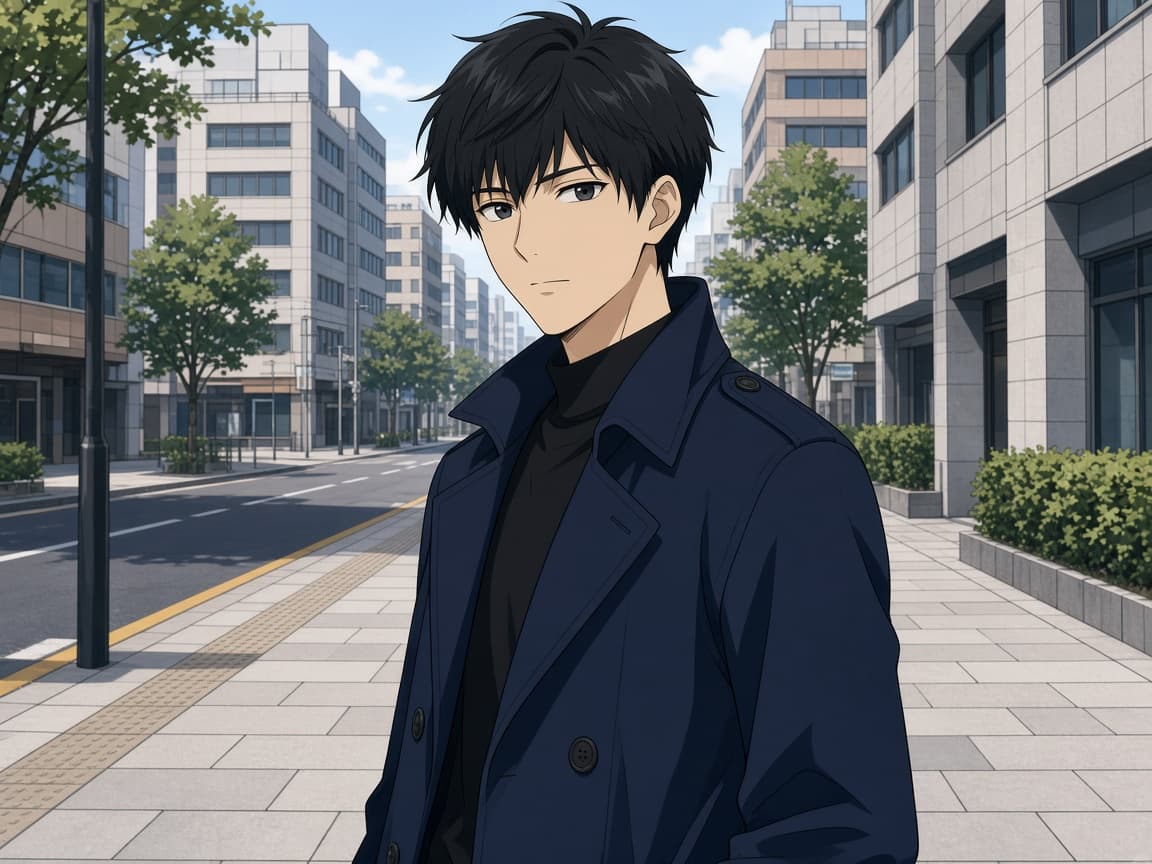
After
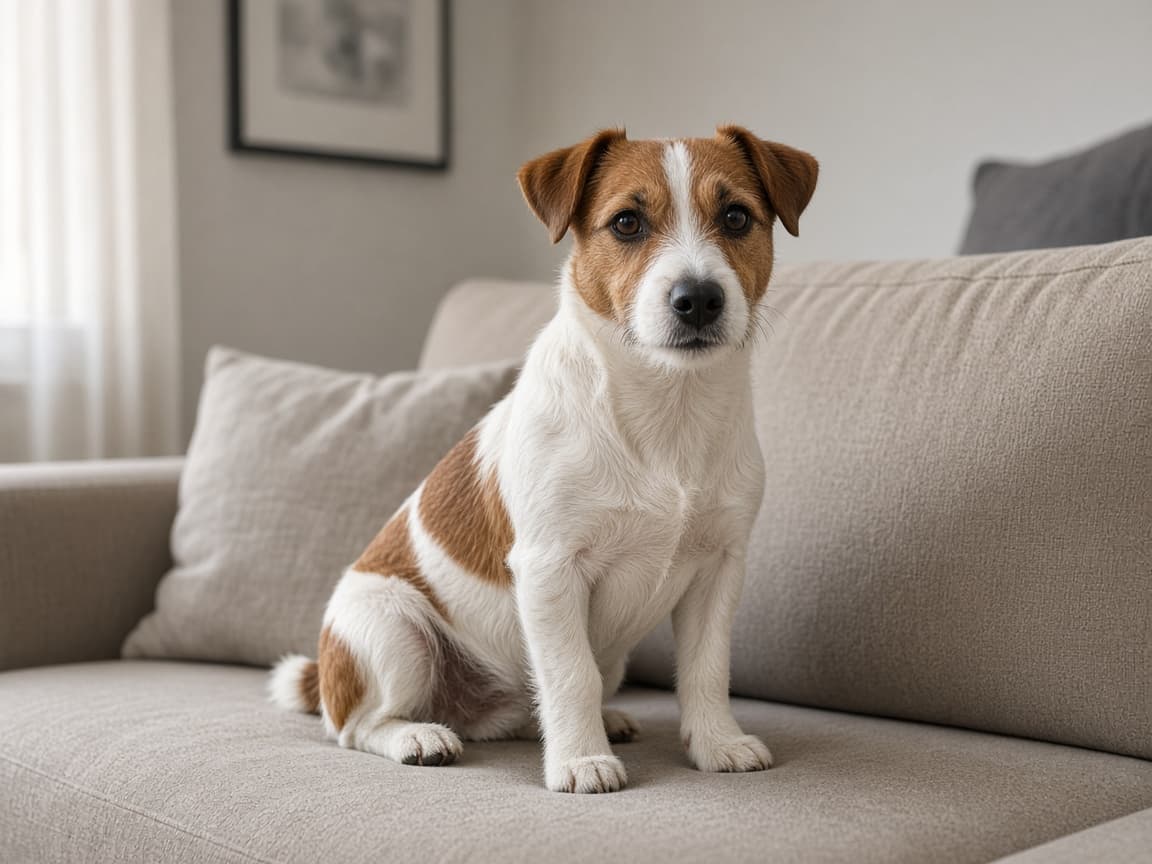
Before
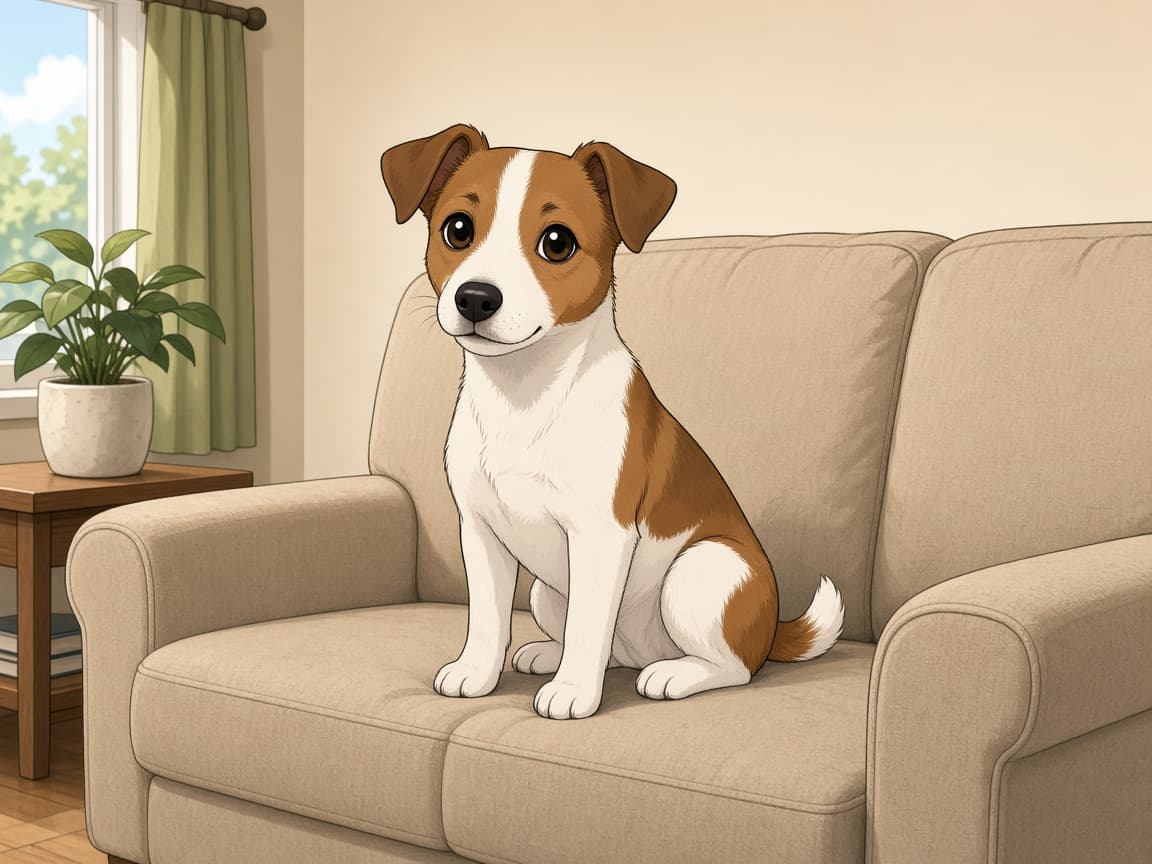
After
A photo to anime converter restyles a photo you upload toward anime line work and cel shading, so you can turn a selfie, a pet, or a street scene into anime without drawing it. The pose and outfit should stay recognizable. It is not a text-to-image anime generator: with no photo, there is no edit.
It is also not a license to copy a copyrighted character. Asking for a known character is refused. If you want oil paint, illustration, or a 3D look instead of anime, use AI Image Restyler.
1
Front or three-quarter views give the model strong structure to stylize.
2
Ask for cel shading, line weight, and scene details. The prompt sets the anime look, so be specific about what should stay the same.
3
If eyes over-enlarge, ask for 'subtle anime, realistic proportions' on the next run.
Refresh profile images without commissioning a full illustration.
Preview character vibes from actor reference photos.
Stylize band photos for poster comps—not for impersonating real celebrities.
A clear stance and a face the camera can see survive cel shading better than a crowded scene.
“Clean anime, cel shading, readable face” is more specific than “make it anime.”
Letters on shirts and signs warp under stylization. Plan to replace text afterward.
Likeness softens. Friends may not recognize a face that has been fully redrawn. Hands and thin accessories are the usual errors. A photoreal finish and an anime finish in one prompt fight each other.
You do not receive layered line art. The download is one image. Copyrighted characters and sexual content are blocked.
One restyle can be one signed-out Fast edit after a human check. Then 5 credits once you create an account. Free downloads are watermarked after your first 2 images, and free runs use Fast.
Style experiments multiply quickly. Paid plans start at $19 a month for 20 products (100 credits), download without the watermark, unlock Balanced and High Quality, and join the priority queue. A run that fails or returns no image refunds its credit.
A prompt restyle is a fast study of a photo you have. It is not a character sheet with consistent turnarounds, and it is not a substitute for an illustrator when the line work has to be yours.
| Path | Input | Output |
|---|---|---|
| This converter | One photograph | A single cel-shaded frame |
| AI Image Restyler | The same photograph | Oil, illustration, or 3D, not anime-only |
| An illustrator | A brief and sketches | Editable art and revisions |
Anime school courtyard background, soft cel shading, keep hairstyle.
Dynamic anime action lines, sunset sky, keep outfit colors.
Pastel anime palette, gentle outlines, cozy cafe window.
Neon anime city, reflective puddles, sharp highlights on jacket.
Anime style portrait with cute cat ears headband, playful expression.
Describe cel shading and line work in words—no external filter app, and no style picker on the editor.
Pose and outfit come from your photo instead of a text-only character generator.
Sexual content, impersonation or deepfakes of real people, and the other Remorphy acceptable use categories remain blocked.
No. It needs your photo as the base and edits toward anime aesthetics.
Ask for one finish per run in the prompt. Run a new generation with different wording if you want to compare.
Do not prompt for named franchise characters; keep descriptions generic.
One signed-out Klein generation after a human check, then 5 credits when you register.
Yes. The object should stay recognizable. Fine logos will not. Use the product editor instead if you need a catalog still.
No. Name a look — line weight, palette, shading — not a copyrighted character. Those requests are refused.
Not the first ones. Your first 2 anime restyles download without a watermark, signed in or not. After that, free downloads carry a small Remorphy watermark; a paid plan or the one-time pack removes it.
Back to AI Product Photos — Turn One Photo Into a Full Listing Set