Job seekers updating LinkedIn
Replace a cropped wedding photo with a calm, well-lit portrait the same evening you apply.
Upload a clear face photo and describe the professional look you need.
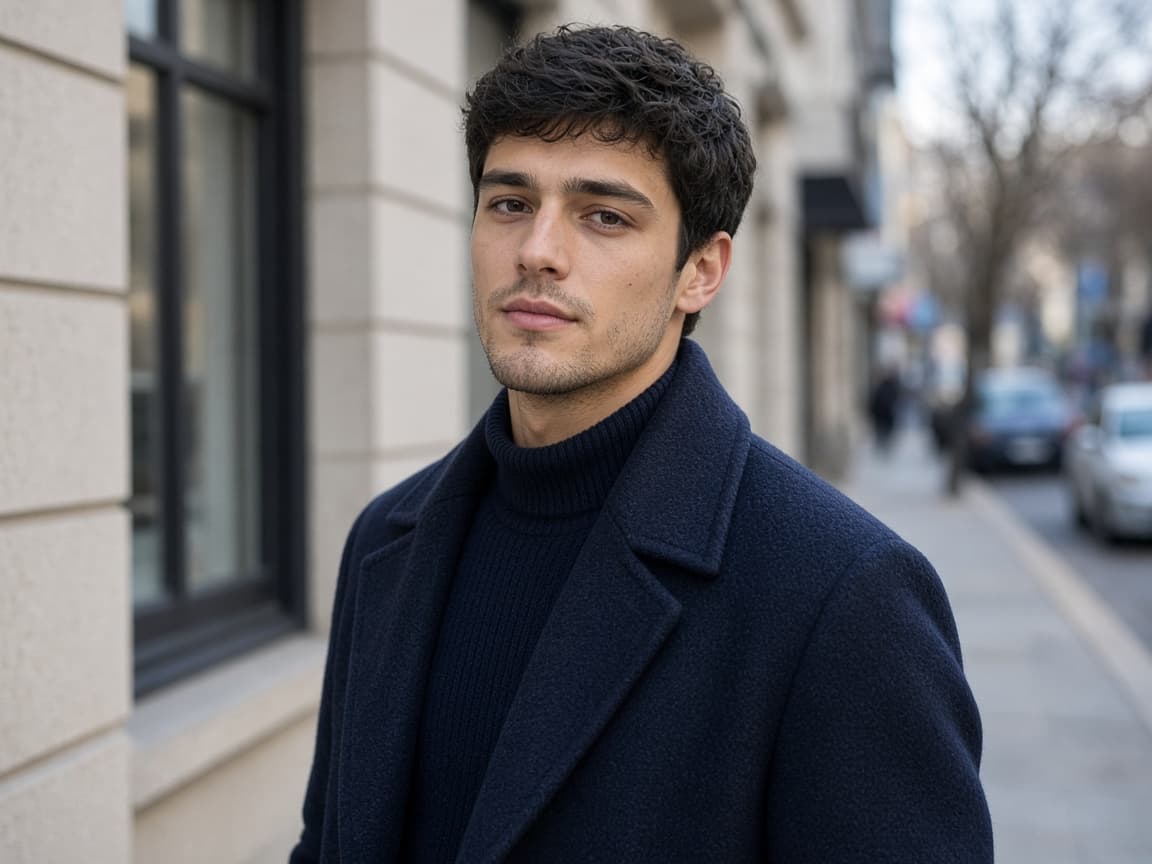
Before
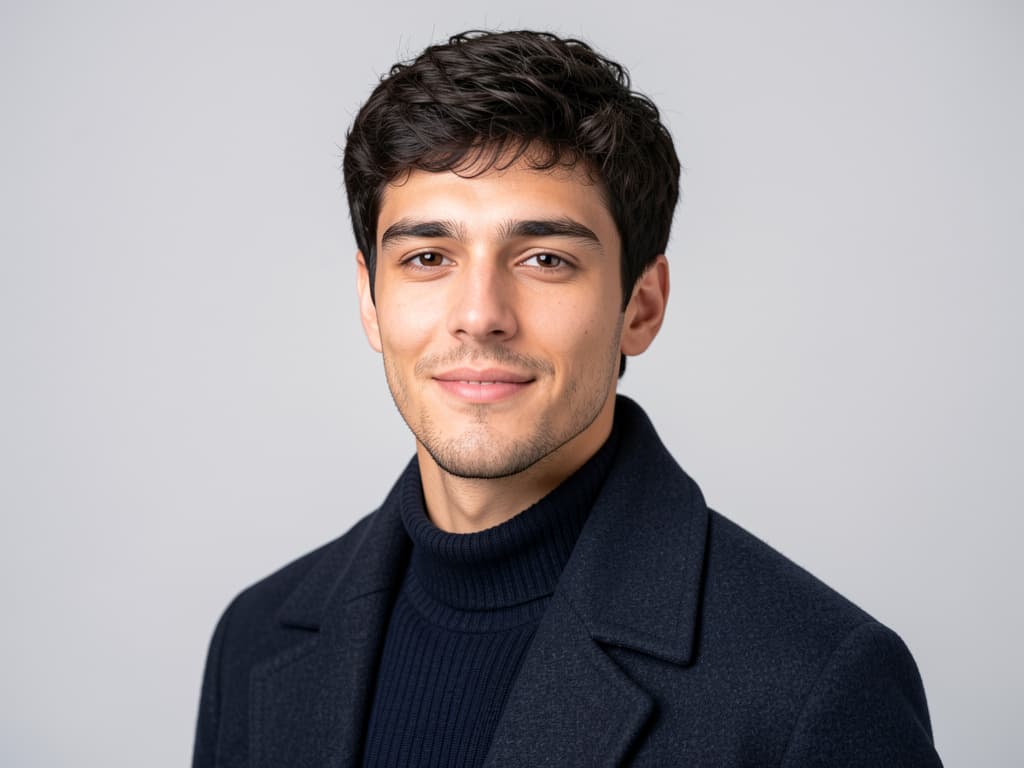
After
1
Eyes visible, minimal motion blur. The edit keeps your likeness; it does not swap you for a stock model.
2
Ask for gray backdrop, soft key light, or subtle suit jacket tones. Avoid celebrity names or impersonation requests—they are blocked.
3
Save the result and crop to 1:1 or 4:5 for LinkedIn. Paid users get priority queue placement when demand spikes.
Classic gray
Neutral gray backdrop, soft studio key light, natural skin texture, slight shoulder-up crop feel.
Bright office
Blurred open office background, daylight balanced, friendly expression unchanged.
Dark blazer
Add a dark navy blazer look, keep face identical, subtle vignette.
Warm skin tones
Warm fill light, reduce harsh shadows under eyes, professional but approachable.
Outdoor bokeh
Soft outdoor bokeh background, golden hour rim light, still a corporate-safe headshot.
Replace a cropped wedding photo with a calm, well-lit portrait the same evening you apply.
Align contractor headshots on a company wiki without flying everyone to one city.
Match press-kit lighting when you only have a conference hallway snapshot.
Refresh yard-sign photos seasonally while keeping a recognizable face.
Recruiting seasons burn through portraits fast. Remorphy pricing tiers bundle 300–5,000 standard edits so HR is not stuck at 15 credits.
Paid accounts enter the priority queue—helpful when fifty profiles must land before a board meeting.
The tool polishes light and setting; it is not a face-swap engine and refuses real celebrity impersonation.
Photorealistic mode aims for natural skin and light. Overly stylized prompts can look illustrated—keep requests grounded for HR use.
Small grooming tweaks often work; large identity changes may fight the source photo. Describe modest adjustments for best match.
One Klein-model generation can run without an account after a human check. Further edits require sign-in and spend credits.
Nudity, minors, and celebrity face swaps are rejected on upload and on the finished image.